
WhatsApp is rolling out two major updates that could change how businesses and customers communicate on the platform.
The first is Privacy Checkup, a guided tool that makes it easier for users to control who sees their personal information.
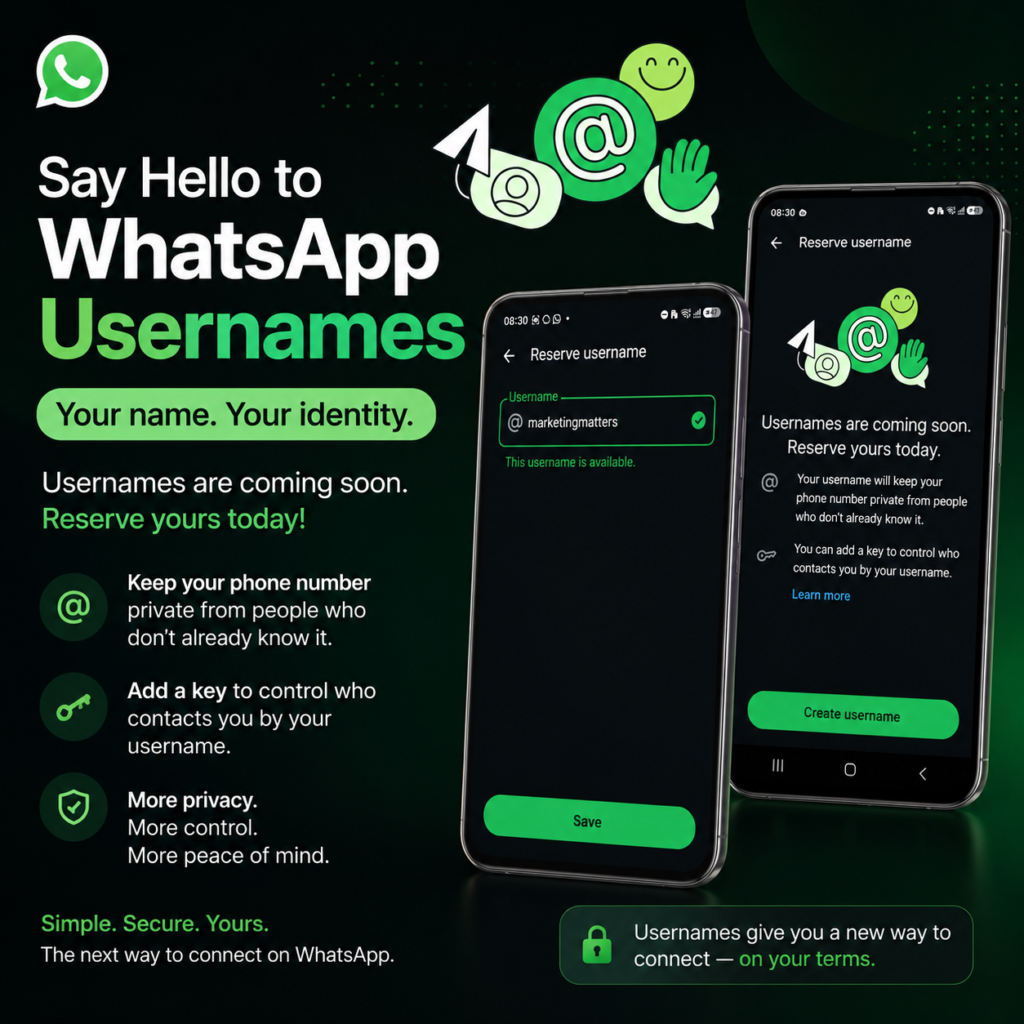
The second is WhatsApp Usernames, a feature that allows people to connect without sharing their phone numbers.
While these updates are designed to improve user privacy, they also have significant implications for businesses, marketers, and anyone who uses WhatsApp to communicate with customers.
Let’s break down what these updates mean and how you can prepare for them.
What is Privacy Checkup?
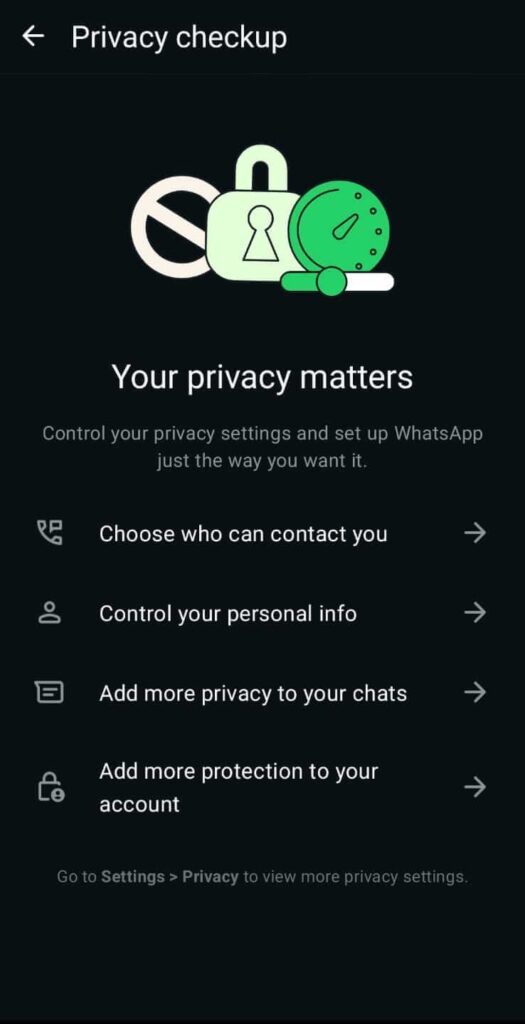
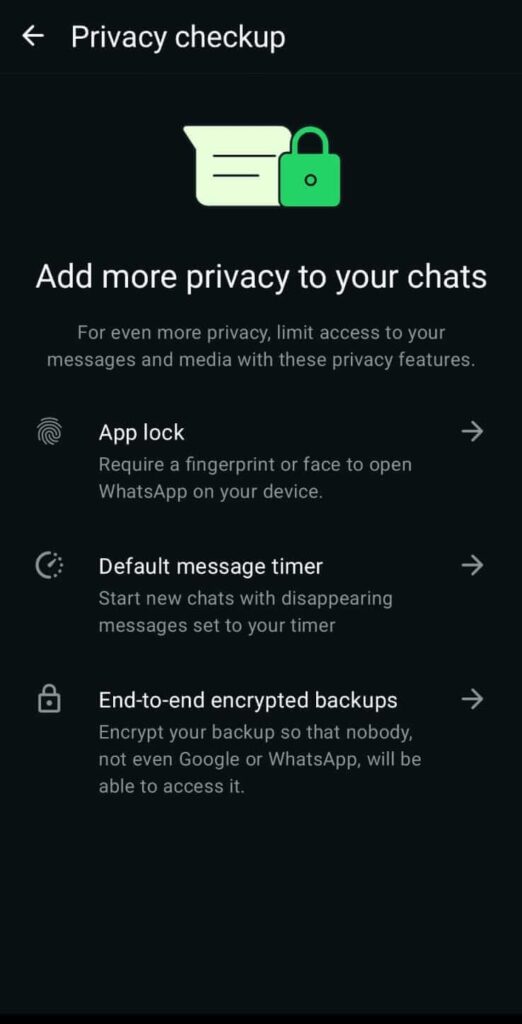
If your business relies on WhatsApp for customer inquiries, sales, or support, or if you’re someone who regularly messages businesses on WhatsApp, there’s a new feature you should know about.
WhatsApp has made privacy settings easier to understand by bringing them together in one guided experience.
To access it, simply go to:
Settings → Privacy → Privacy Checkup
The tool helps you review settings such as:
- Who can see your profile photo.
- Who can view your Last Seen and Online status.
- Who can see your status updates.
- Who can add you to WhatsApp groups.
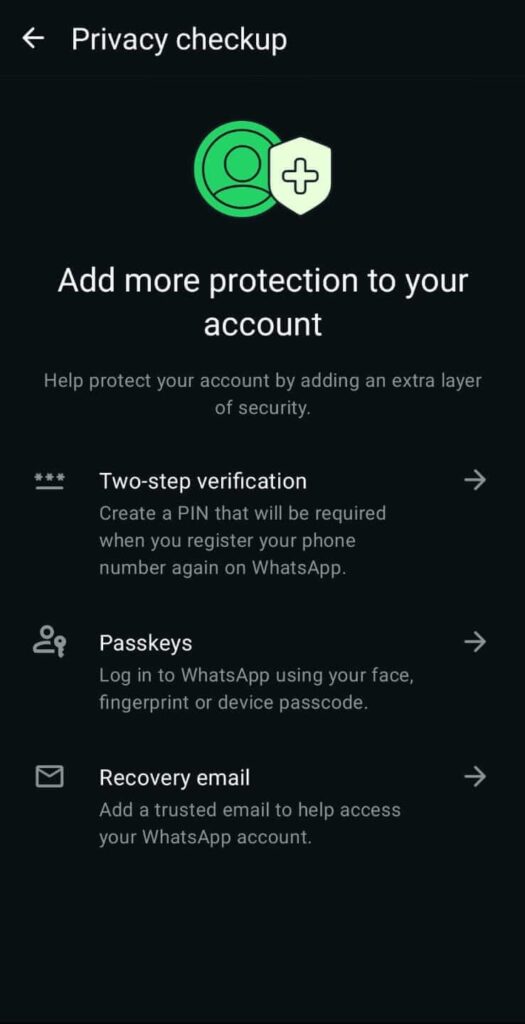
- Security features like Two-Step Verification and other account protection options.
Instead of searching through multiple menus, WhatsApp guides you through each setting and explains what it does.
Why This Matters for Customers
Today, WhatsApp has become much more than a messaging app.
People use it every day to:
- Ask businesses about products.
- Request quotations.
- Book appointments.
- Track deliveries.
- Receive customer support.
- Complete purchases.
When you’re interacting with businesses, you may not want to share more personal information than necessary.
With Privacy Checkup, you can decide:
- Whether businesses or unknown contacts can see your profile photo.
- Whether they can view your Last Seen or Online status.
- Who can add you to WhatsApp groups.
- How secure your account is through features like Two-Step Verification.
This means you stay in control of your personal information while still enjoying the convenience of communicating with businesses.
Why Business Owners Should Care
Although Privacy Checkup is a user-focused feature, it sends an important message to businesses.
Customers are becoming increasingly aware of their digital privacy.
That means businesses should make trust part of their customer experience.
Here are a few ways to do that:
1. Respect Customer Privacy
Only message customers when they’ve agreed to hear from you.
Avoid sending unsolicited promotional messages or adding customers to groups without permission.
Respecting privacy helps build long-term relationships.
2. Be Transparent
Let customers know why you’re collecting their phone number and how you’ll use it.
For example, explain whether it’s for order updates, customer support, or promotional offers.
Transparency builds confidence.
3. Keep Communication Professional
Use WhatsApp Business features such as business profiles, catalogs, greeting messages, and quick replies to create a professional experience.
Customers are more likely to trust businesses that communicate clearly and consistently.
4. Secure Your Own Business Account
Business owners should also review their own privacy and security settings.
Enable Two-Step Verification, protect your account from unauthorized access, and ensure only the right team members have access to customer conversations.
A secure business account protects both your brand and your customers.
Introducing WhatsApp Usernames
Instead of sharing your personal phone number, users will soon be able to create a unique username that others can use to start a conversation.
Think of it like your Instagram handle or X username but for WhatsApp.
For example, instead of saying:
“My WhatsApp number is +254…”
Businesses will be able to say:
“Chat with us on WhatsApp: @MarketingMatters“
This gives customers a much simpler and more private way to connect.
One important point to note is that WhatsApp is not creating a public username directory. Someone must already know your username before they can contact you, helping reduce spam while protecting users’ privacy.
Why Usernames Matter for Businesses
This update offers several advantages.
First, it improves privacy.
Many small businesses still use personal phone numbers to communicate with customers.
That works—but it also means your private number is shared with hundreds or even thousands of people.
Usernames help separate your personal identity from your business identity.
Second, they strengthen your brand.
Imagine using the same handle everywhere:
TikTok
Customers will remember @AsherGroupLtd far more easily than a phone number.
Third, usernames create a cleaner customer journey.
Instead of printing business cards filled with numbers, your marketing materials could simply say:
“Message us on WhatsApp: @YourBusiness”
That’s easier to remember and looks much more professional.
What This Means for Digital Marketing
This is where I’d merge your marketing takeaway with the username section.
These updates tell us something much bigger.
WhatsApp is evolving from being “just a messaging app” into a complete customer communication platform.
Businesses are already using WhatsApp for:
- Customer support
- Product enquiries
- Order tracking
- Appointment booking
- Payments
- Marketing campaigns
Adding Usernames and Privacy Checkup makes the experience more professional and more trustworthy.
For marketers, this means WhatsApp should no longer be viewed as an after-sales support tool.
It is becoming one of the most important customer touchpoints in the digital customer journey.
How Businesses Should Prepare
If your business relies on WhatsApp, now is the perfect time to prepare.
Review your privacy settings.
Enable Two-Step Verification.
Use WhatsApp Business instead of a personal account.
Keep your business profile updated.
Create a professional catalogue.
Set up greeting messages and quick replies.
And once usernames become available, reserve your business name as early as possible to maintain brand consistency.
Businesses that prepare early will make it easier for customers to find and trust them.
Final Thoughts
WhatsApp’s latest updates aren’t simply about adding new features.
They’re part of a broader shift toward giving users greater privacy while helping businesses communicate more professionally.
Privacy Checkup empowers users to control who sees their personal information.
Usernames make it easier for customers to contact businesses without exposing private phone numbers.
Together, these updates are reshaping how brands and customers connect on one of the world’s largest messaging platforms.
For businesses, the message is clear: customer trust is becoming just as important as customer convenience. Those who embrace secure, transparent, and professional communication will be better positioned to build stronger relationships in the years ahead.
What do you think about these new WhatsApp features? Will your business start using WhatsApp Usernames when they become available? Let me know in the comments.
If you found this update helpful, don’t forget to like, subscribe, and follow the Marketing Matters Podcast for the latest insights on AI, digital marketing, technology, and the tools helping businesses stay ahead.